Feature Deep
Dives
Detailed playbooks for dashboarding, rapid logging, timeline reconstruction, and reporting.
Workspace
Flexible Incident Command Workspace
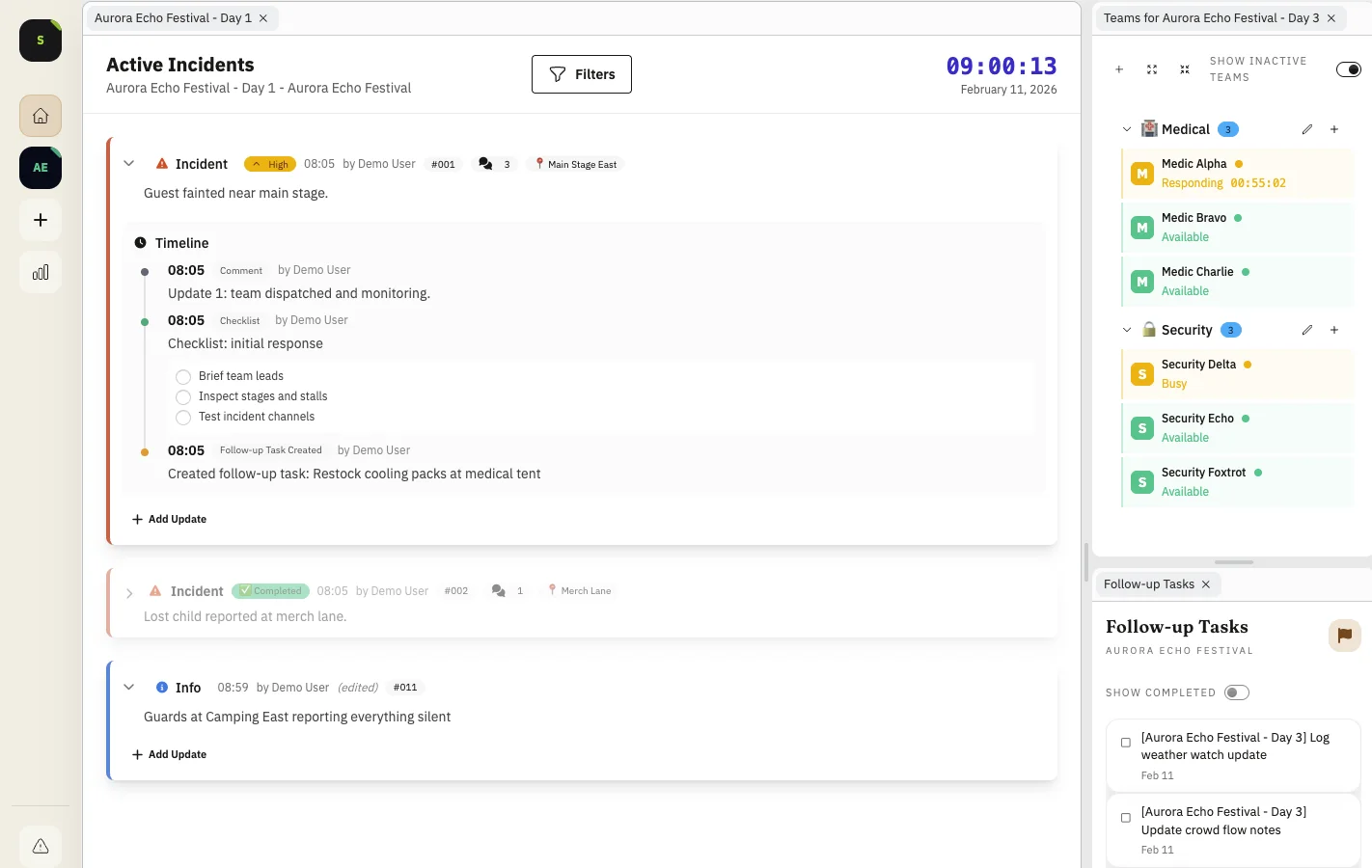
Build your incident command view from a clean canvas or the default layout, then rearrange panels to match how your team actually operates.
- Drag, resize, and position panels freely
- Save layouts per user and organization
- Open the default setup any time without locking users in
Timeline
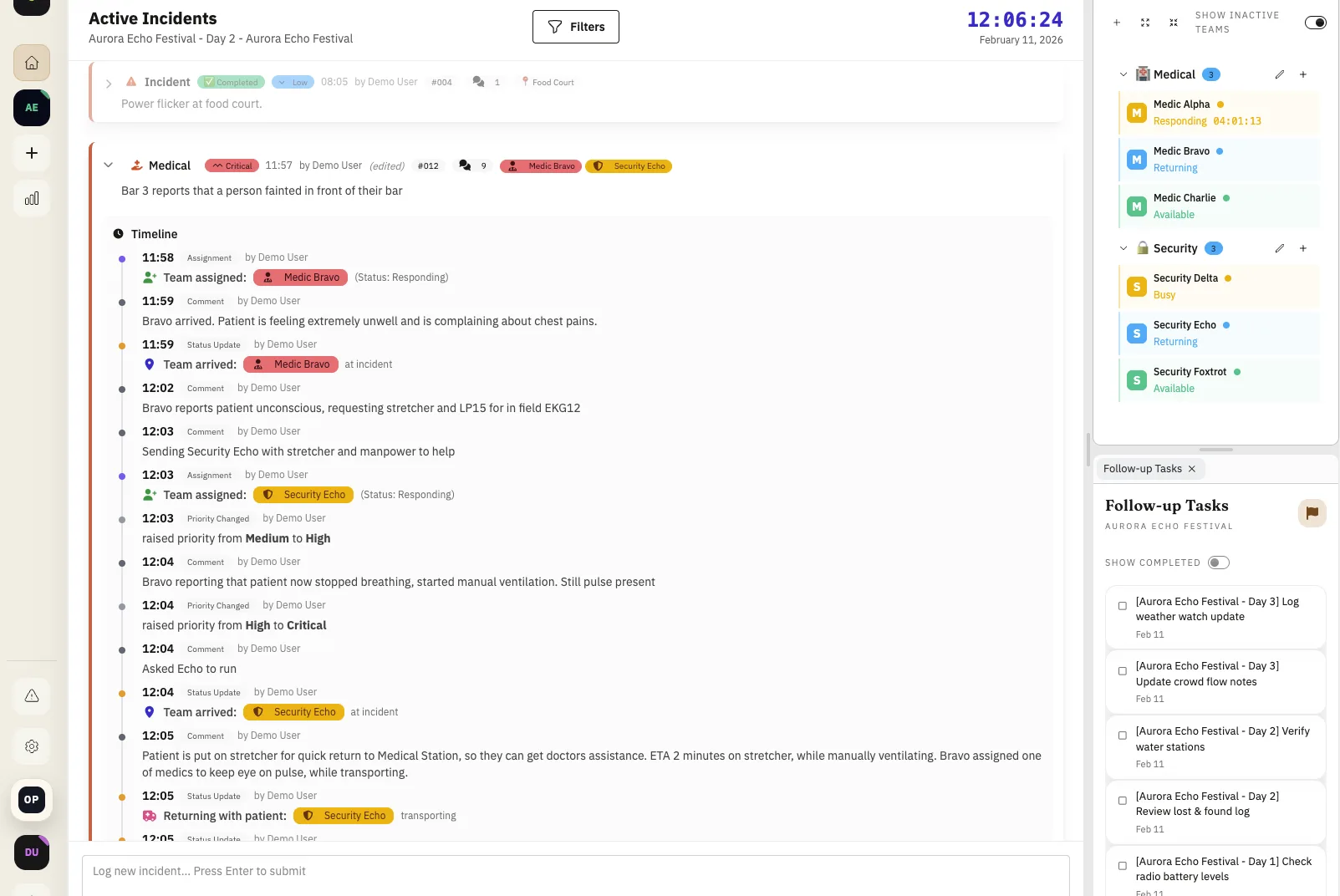
Full Incident History Timeline
From first alert to close-out, every action is captured in one timeline with clear timestamps, operator attribution, and evidence context.
- Timestamped updates from first alert to close-out
- Image evidence and operator notes in timeline context
- Assignee, status, and handoff trail preserved
- Assignment timers show how long teams have been engaged
- Compact incidents and work multiple cases in parallel
- Audit-ready documentation for close-out
Documents
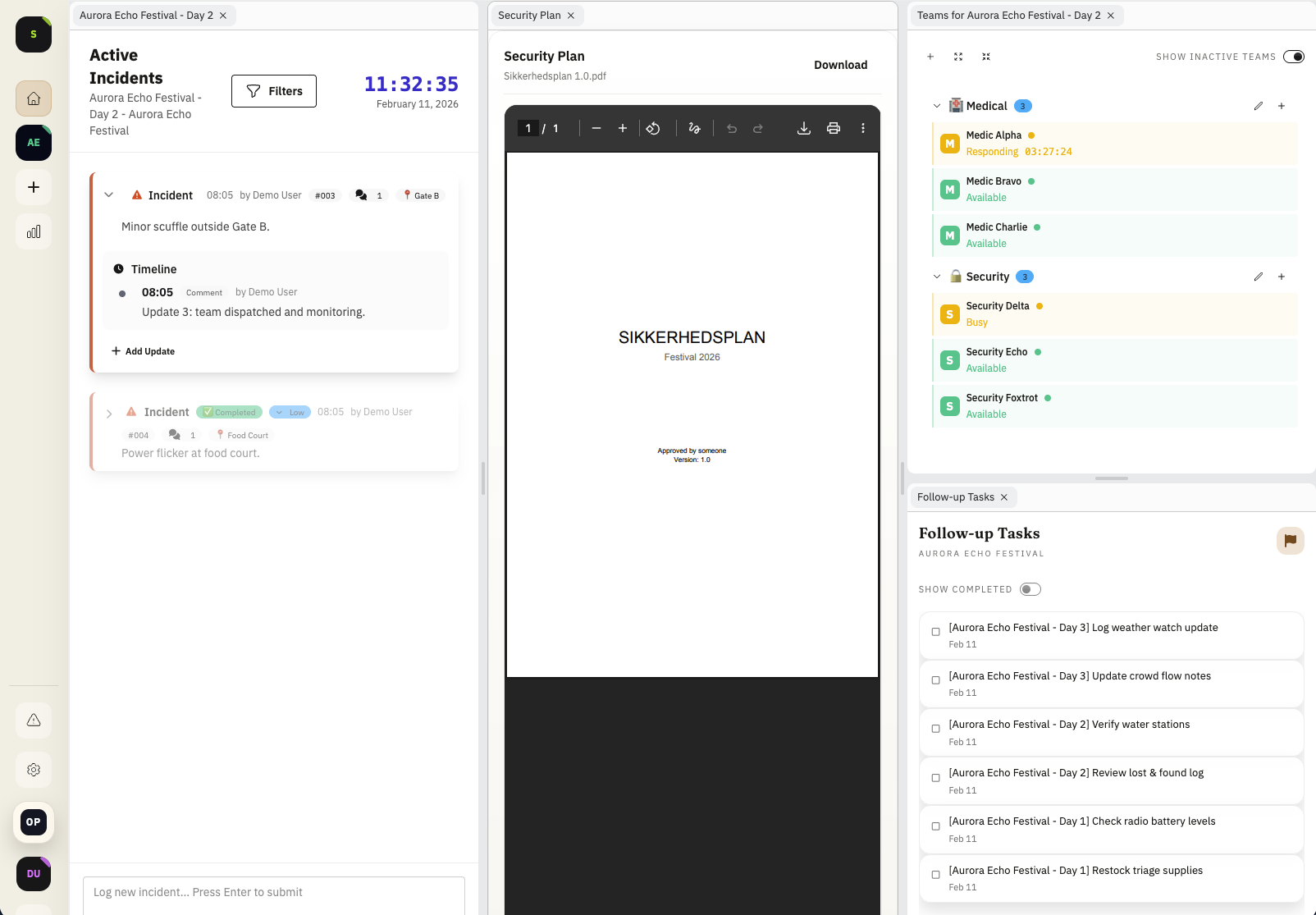
Embedded PDF Documents
Keep critical event documents in the workspace: open them in a tab behind the incident log or pin them in side panels when teams need them in constant view.
- Upload and embed PDFs directly in the operations workspace
- Open documents in background tabs or active side panels
- Keep safety plans, response guides, and incident instructions close during dispatch
Side Panels
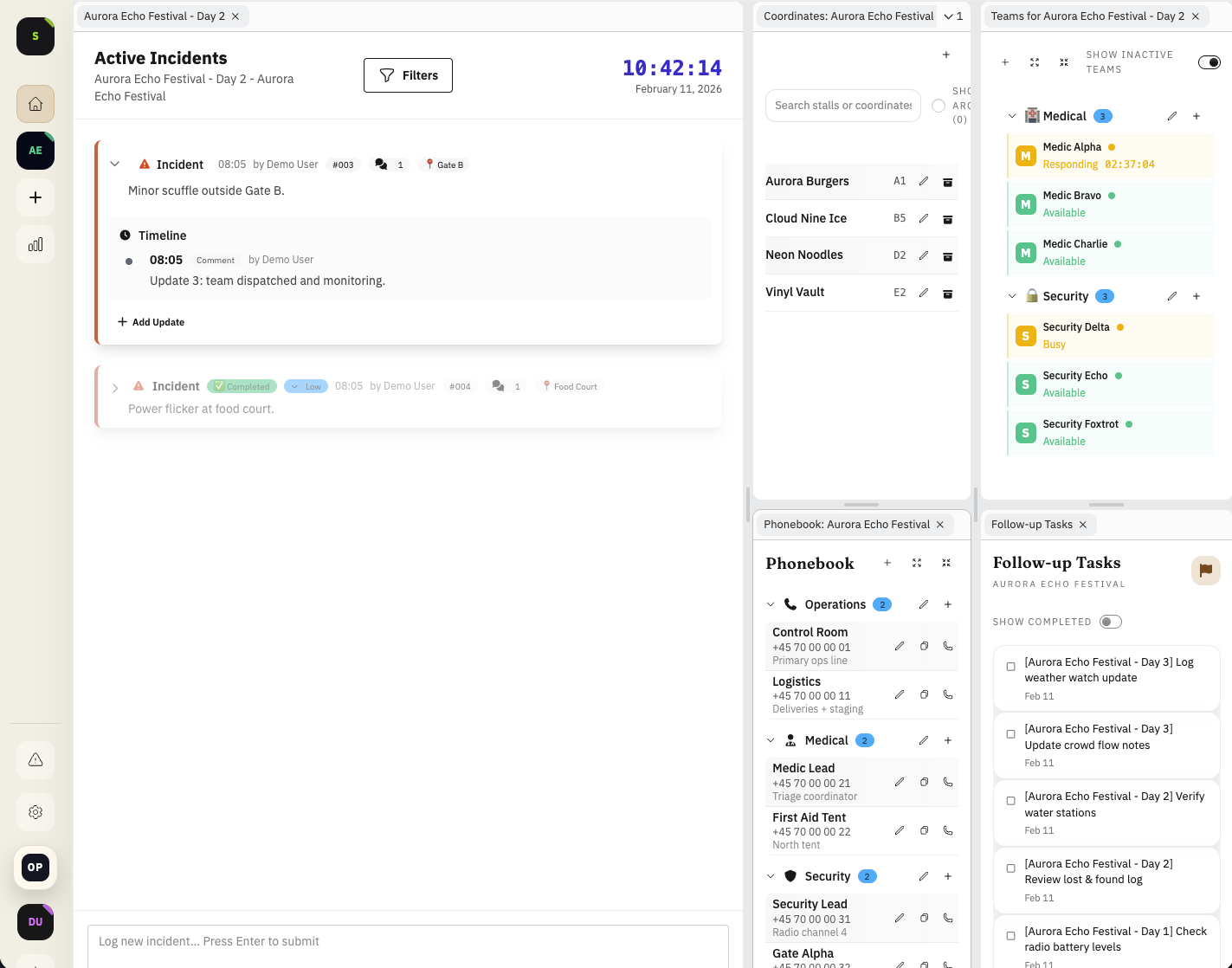
Phonebook and Coordinate Side Panels
Keep a lightweight phonebook and coordinate reference panel on the side so teams can act fast without searching across tools.
- Quick contact lookup for teams, vendors, and critical services
- Store stall, bar, gate, and point-of-interest map references
- Keep phone and coordinate context visible while handling incidents
Maps
Venue Site Plan Overlays
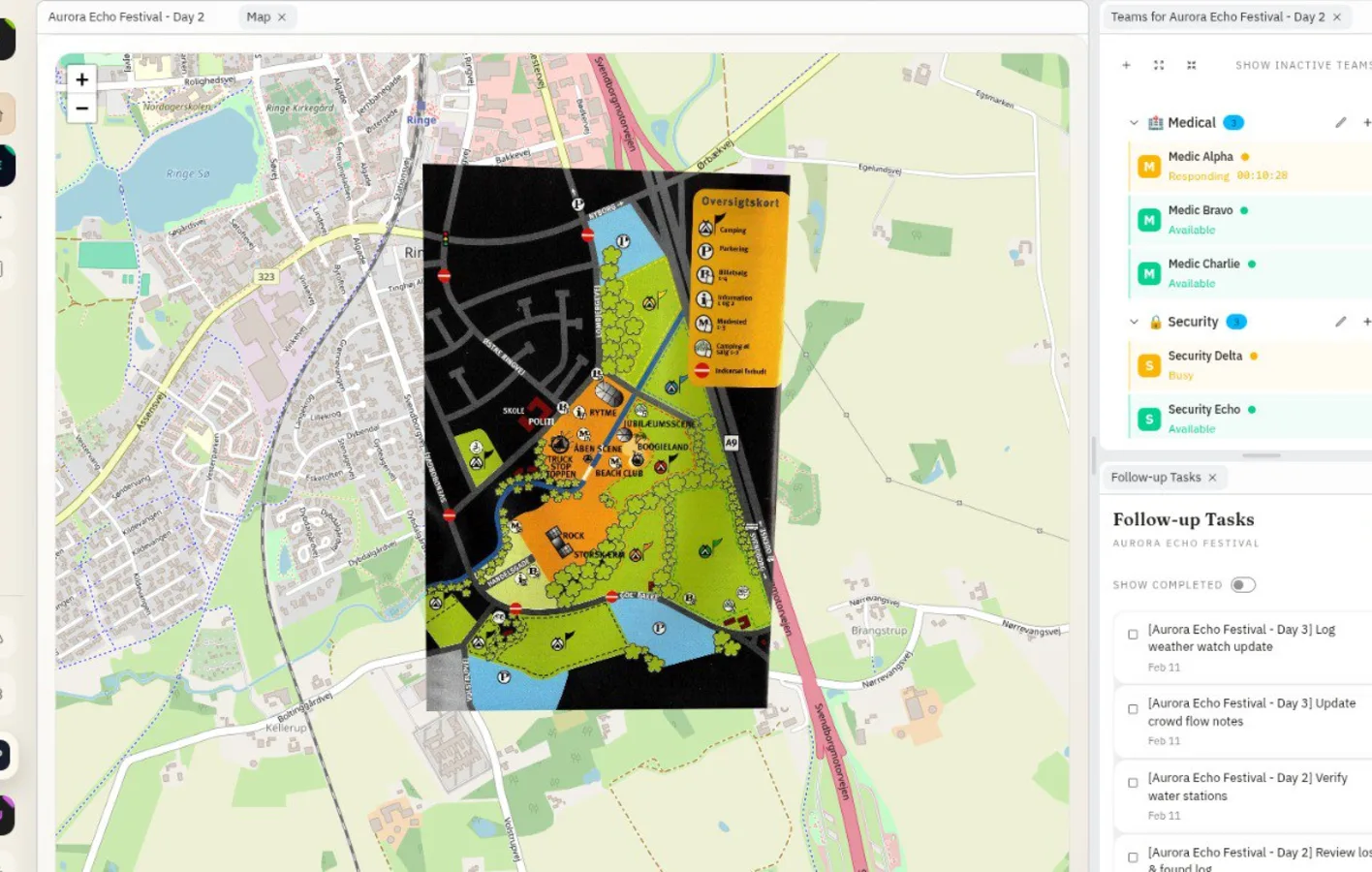
Use your venue site plan, typically a grid-referenced map with a coordinate grid, as a shared operational map and layer incident context directly on top.
- Use a georeferenced or grid-referenced venue site plan as your map base
- Overlay operational images with coordinate-aware placement
- Keep fire exits, booth layout, and response context in one view
Want the full walkthrough?
We can map these workflows to your event setup and team structure before your next live day.
Contact