From external folders to in-workspace documents
Festival teams often depend on security briefings, incident instructions, and authority-approved documents while incidents are active.
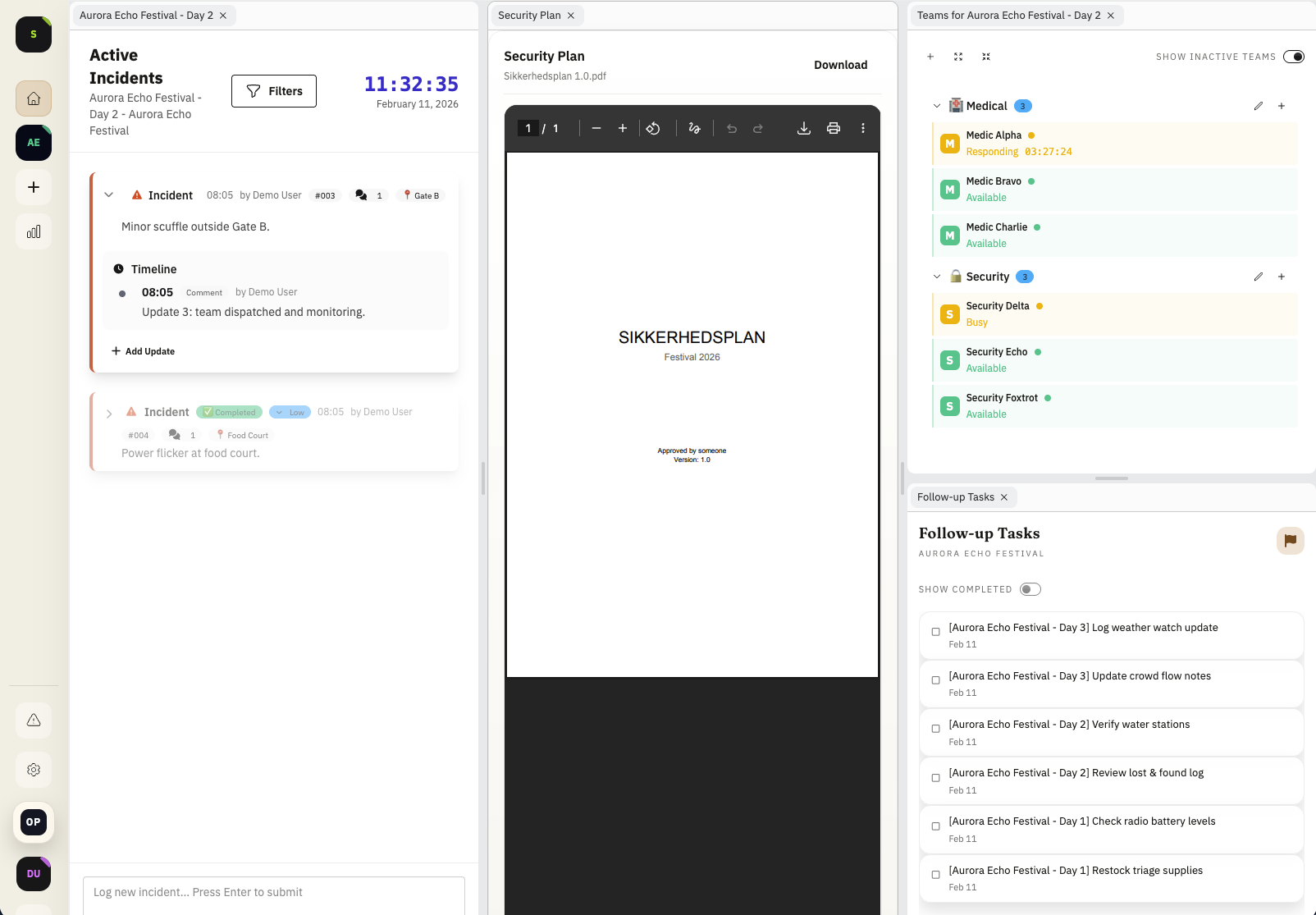
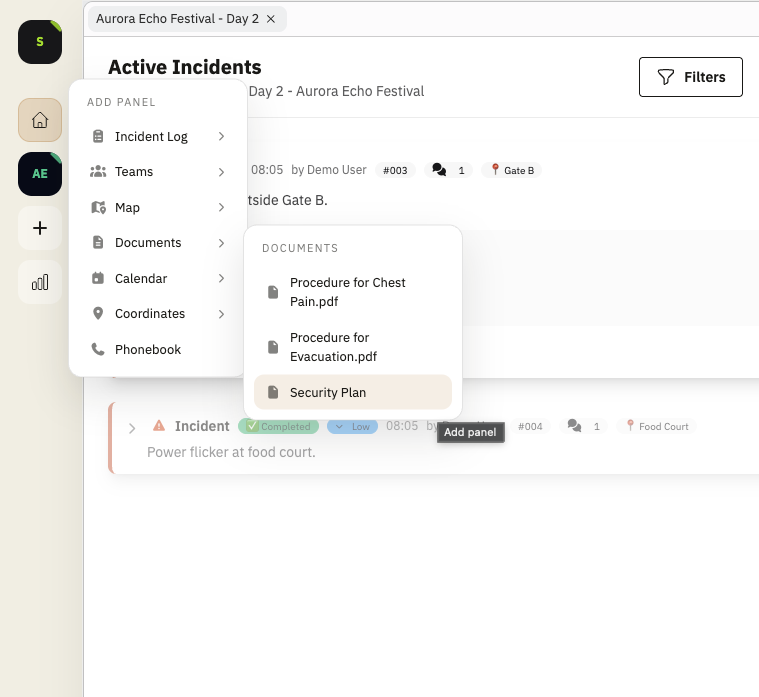
Instead of switching to external drives or chat threads, Shamira lets teams upload PDFs and read them directly in the workspace.
Use documents where they fit your command style
Some teams keep documents behind the incident log as a quick-reference tab. Others keep a key briefing active in a side panel during peak hours.
Both patterns are supported, so teams can choose whether documentation is nearby or always visible.
Most of the time, teams pull documents up when they need a specific procedure, threshold, or contact detail, then return directly to live coordination.
- Open PDFs in a tab behind incident flow
- Pin critical documents in side panels
- Keep command view and reference material in one tool
- Use the browser's native PDF viewer so built-in functions like search work immediately
Operational benefits during live events
When teams can open the right PDF instantly, radio traffic gets cleaner and decisions are less delayed by document hunting.
This is especially useful for incident types where procedure steps must be followed consistently under pressure.
- Faster access to agreed procedures
- Less context switching during dispatch
- More consistent response quality across shifts
Example: medical escalation with embedded procedure guide
A medical incident escalates near a dense crowd zone. Command keeps the medical response PDF open in a side panel while coordinating field teams in the main incident feed.
- Procedure references available without leaving command view
- Fewer delays in high-pressure moments
- Cleaner alignment between command and field actions
FAQ
What document formats can we use?
This feature focuses on PDF documents so teams can rely on a consistent format during live operations.
Can documents be opened both as tabs and side panels?
Yes. Teams can keep documents in a background tab or make them active in a side panel when constant visibility is needed.
Can we store authority-reviewed safety plans?
Yes. Authority-reviewed safety documents can be uploaded and kept available during live command workflows.
Who can open uploaded documents?
Only authenticated members of your operations workspace can open uploaded files. Documents are encrypted in transit and at rest, and any support access is handled only with explicit permission.
Why embed documents instead of linking out?
Embedding keeps operators in the same decision surface, which reduces context switching and lookup delays during incidents.
Does PDF search work in the embedded view?
Yes. Documents are rendered with the browser's native PDF viewer, so standard features like text search work as expected.
Release History
This feature is documented in the following public release notes.
Related Product Pages
Continue your evaluation with pricing, security, and release transparency pages.