Small panels, immediate context
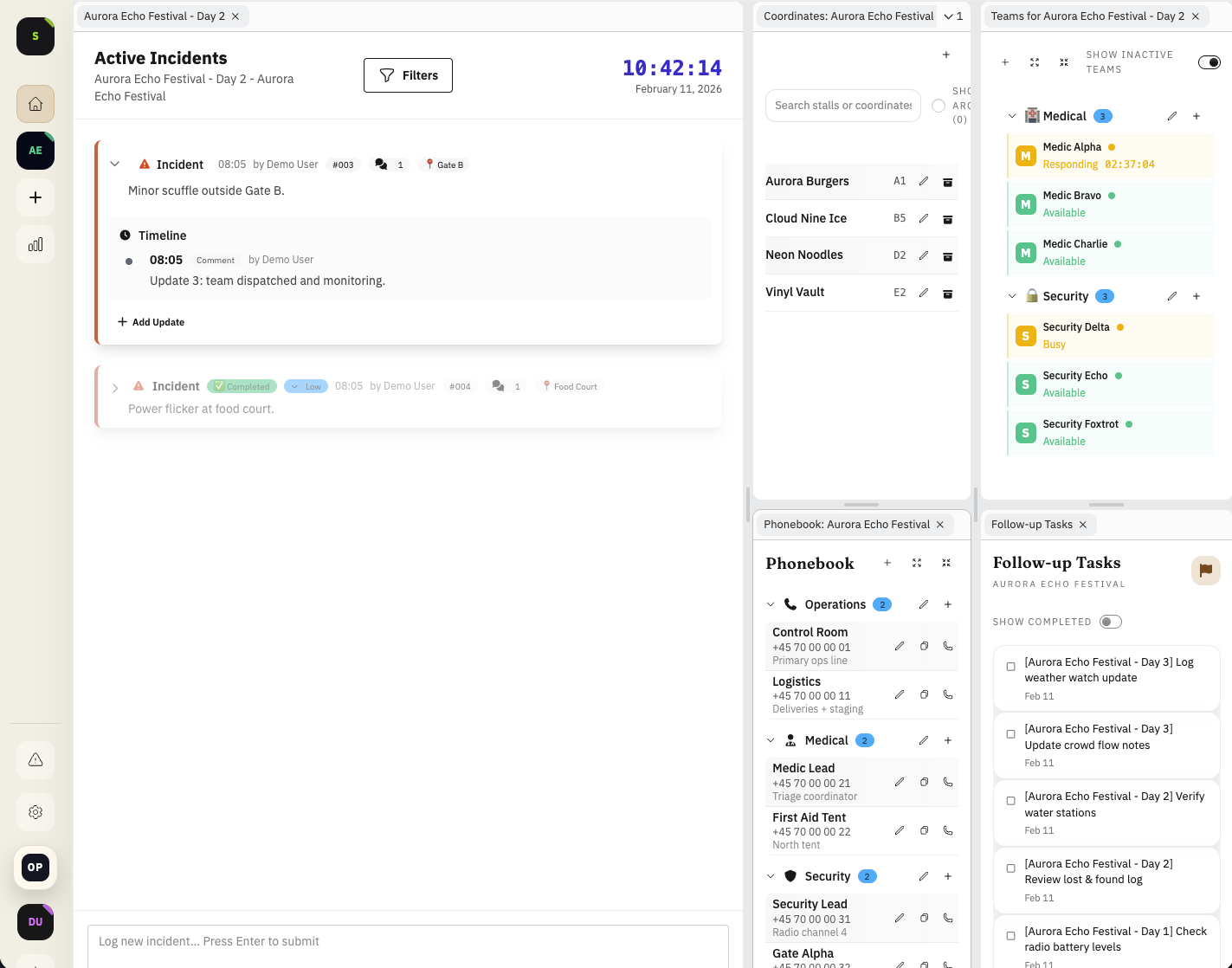
During live operations, teams should not leave the active incident view to find a phone number or confirm a map reference.
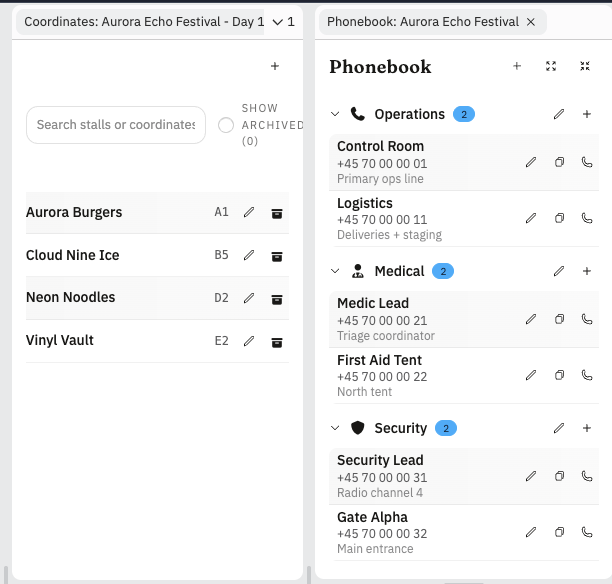
The phonebook and coordinate panels stay docked at the side, so lookup work is fast and low-friction.
Phonebook panel for fast contact handoffs
Command teams can keep critical contacts close: medical leads, security coordinators, vendor reps, and on-call technical support.
Instead of radioing around for numbers, operators can pull the right contact and continue dispatch with minimal interruption.
Any operator can add or update a phone number on the fly, so the phonebook gets better as the festival unfolds.
- Single place for operational contact records
- Less time lost during urgent call routing
- Cleaner handoff between shifts and teams
- Live list growth as new contacts become operationally relevant
Coordinate panel for stalls, bars, and key points
The coordinate panel stores map notes tied to the venue's grid system: stalls, bars, gates, fire points, and other important markers.
That means teams can translate incident language into exact locations quickly, especially during crowded periods.
Operators can add coordinates and notes as new hot spots are identified, so the map reference layer keeps improving during the event.
- Map reference notes linked to grid-style locations
- Faster orientation for temporary or rotating staff
- Shared location vocabulary across command and field teams
- On-the-fly coordinate entries as operations discover new important points
Example: dispatch to a stall with vendor contact + map point
An incident is reported near a food stall. Command checks the side panels, gets both the vendor contact and coordinate reference, and routes security and medical teams without leaving the live feed.
- Fewer lookup delays during dispatch
- More precise routing instructions
- Less back-and-forth on radio channels
FAQ
Who can add phonebook entries?
Any operator in the workspace can add or update contacts as operational needs change during the event.
Can we add coordinates during live operations?
Yes. Operators can add grid references and map notes on the fly when new points become relevant.
Is this only for fixed locations like bars and stalls?
No. Teams can store both permanent points and temporary operational references used for live dispatch.
Why keep this in side panels?
It keeps contacts and map references visible without pulling operators away from the live incident feed.
Release History
This feature is documented in the following public release notes.
Related Product Pages
Continue your evaluation with pricing, security, and release transparency pages.